
Internal Client Details Form Submission is Successful!
IMPORTANT: After successfully submitting a consultation the Client Details Form, you must clear you browser cache & cookies.
Detailed instructions on clearing Google Chrome browser cache, history & cookies can be seen by clicking here.
Basic Instructions on clearing Google Chrome Browser Cache & Cookies are shown below:
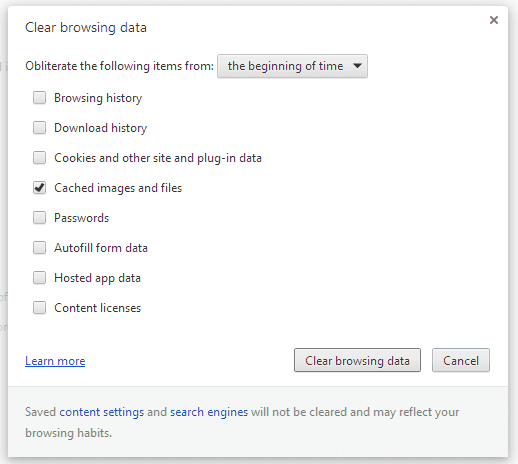
1. Select “Menu” > “Settings” > “Show advanced settings…” > “Clear browsing data…”.
2. Select the period of time you wish to delete cached information using the “Obliterate the following items from” drop down menu. From there, you can choose “Cached images and files”.
3. Select the “Clear browsing data” button, and Chrome will clear your cache.
After successfully clearing your browser cache & cookies, return to the Client's Details form.
All Rights Reserved | Ruth Newman Architect © 2017| ruthnewman.com.au